
User manual

ROUTE 66 Mobile 8 Chicago 8000 - User Manual
32
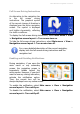
Combining Navigation Options
The application is so versatile that it can be easily customized to your
needs. Thus, you can have:
a simple navigation screen, without navigation bar, progress bar, or
notifications. In this case, you just listen to the driving instructions.
a complex navigation screen, with navigation bar, progress bar, and
notifications. In this case, you have access to all available information.
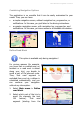
Define Road Block
This option is available only during navigation!
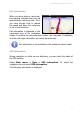
For various reasons (for example,
you know that a crowded area, an
accident or a road work is ahead
along your trip), you decide to
avoid a part of the planned route.
Thus, that road segment is
excluded from your trip, a detour is
calculated automatically, and you
can continue your navigation
without any interruption.
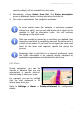
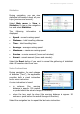
1. Select Main menu > Define
road block.
2. Select which part of the trip to
avoid (for example, the next
100 metres). That road
segment (starting from the