
User manual

ROUTE 66 Mobile 8 Chicago 8000 - User Manual
29
done with the Navigation screen layout > Navigation bar
position option.
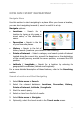
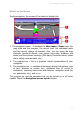
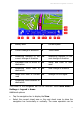
The Progress Bar
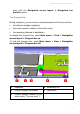
During navigation, you can have an overall perspective of the current trip:
the distance already completed,
the current position relative to the entire route,
the remaining distance to destination.
To display the progress bar, select Main menu > View > Navigation
screen layout > Progress bar on.
To hide the progress bar, select Main menu > View > Navigation
screen layout > Progress bar off.
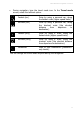
1 Departure 4
Remaining trip
2 Trip you already completed 5
Destination
3 Current position relative to the
entire route (“You are here!”)