
User manual



ROUTE 66 Mobile 8 Chicago 8000 - User Manual
20
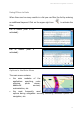
Options in the View Menu
From the View menu you can easily access those options you frequently
need during navigation or map browsing.
To open the View menu:
select Main menu > View.
select the navigation bar.
select the information bar.
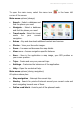
View options (always):
Night colours / Day colours - Choose the brighter colours when
you drive during the day. Choose the dimmed colours when you drive
during the night or in tunnels, forests, cloudy weather conditions.
2D perspective / 3D perspective - View the map from above, as
you look at a printed map (2D). Have a panoramic view, as you are
actually seeing the road ahead of you (3D).
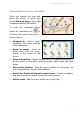
Navigation screen layout - Modify the look and behaviour of the
screen.
GPS information - Check the status of the GPS receiver, whether
you are navigating or not.
Volume - Set the sound intensity for the voice instructions. From here
you can also switch off the sound.
Statistics - Get statistical information about your current trip and all
previous trips: speed, distance, time, etc.
About - View the technical details of your device: software version,
engine version, device ID (IMEI number), operating system version,
etc.
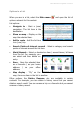
View options (during navigation):
All options above plus:
Route description - Find out all the significant details of your current
trip: total length of route, estimated duration, travel mode, etc.
Play last instruction - If you missed or didn’t understand the last
driving instruction, select this button to repeat it.