
User manual



ROUTE 66 Mobile 8 Chicago 8000 - User Manual
13
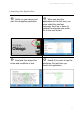
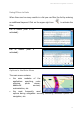
Two scenarios are possible:
GPS position detected
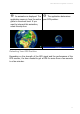
A valid GPS position is established.
The application zooms from the
entire map to the street level.
Your current GPS position is
indicated by a red dot.
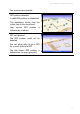
GPS not detected
The GPS position could not be
detected.
You can either retry to get a GPS
fix, or work without a GPS.
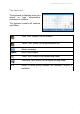
The last known GPS position is
indicated on the map (gray dot).