
User manual



ROUTE 66 Mobile 8 Chicago 8000 - User Manual
11
Launching the Application
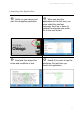
Switch on your device and
start the navigation application.
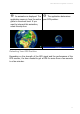
When you start the
application for the first time, you
must select the interface
language. Scroll up or down to
choose the language you prefer.
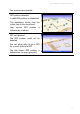
Go to the next screen.
Read and then accept the
terms and conditions of use.
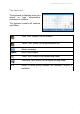
Decide if you want to see the
disclaimer the next time you
launch the application.