
User manual

Sharing POIs, Images And Notes
POIs, images and notes can all be shared via the ViewRanger server so that
others can see them.
To share a POI highlight it in a list, press the cursor pad centre or button and
choose Share on server. If the POI does not yet have a category you will be
prompted to choose one. ViewRanger will connect to the Internet and send your
POI. You will be asked whether you want to share any images and notes
associated with the POI. You can also access Share on server from the Details
view.
You can see the POIs that other people have shared when you use the Search
view.
Whole POI sets can be shared in the same way, by selecting the POI set and
choosing Share POI set.
If your image or note is associated with either a licensed POI or a shared POI,
then you can share your image or note to the ViewRanger server so that others
can see it. You can also see images and notes that other people have chosen
to share.
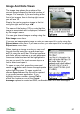
To share an image go to the image list, highlight the image, press the cursor
pad centre or button and choose Share on server. ViewRanger will connect
to the Internet, send your image with its description and associate it with the
POI. You can also access Share on server from the image view.
If you have several images to share, again go to the image list and choose
Options > Share all on server.
The above steps apply to notes as well.
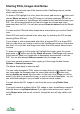
You can make changes to POIs, notes or images that you have shared. Once
you have made the changes press the cursor pad centre or button and
choose Update on server from the menu. In the case of an image you will be
asked if you wish to re-send the image, or just its note and description – so you
can avoid data charges if you just need to make a textual update.
You can delete the POI, image or note from the server using Delete from
server.
If you spot a serious problem with a POI, image or note, immediately suspend it
from the server using Report abuse. If you spot a less serious error, report it
using Report error and we will correct it, though the item will stay visible until
we do.
98