
User manual

POI And Feature Categories
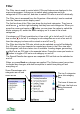
All POIs and features have a category. For example a feature might be a
“Town” and a POI might be a “Museum”. Categories are grouped together and
there are up to 3 levels.
One of the top-level groups is ‘Places/areas’. This has several sub-categories,
‘Town/city/village’; ‘Lake/sea/river’; ‘Hills/cliffs/islands’; ‘Wood/forest’; ‘Other’.
In turn most of these have their own sub-categories, so ‘Lake/sea/river’ has
‘Lake/loch’; ‘Pond/tarn’; ‘Coast/sea’; ‘Sand beach’; ‘Mud/rock beach’;
‘River/canal’.
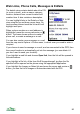
Categories are used in various places:
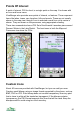
1. To indicate the type of a POI on the Details
view
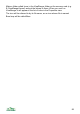
2. In the filter view, where you can control the
display of whole categories and sub-
categories
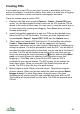
3. In the search view, where you can restrict
your search to a particular category or sub-
category
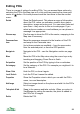
4. In the panorama view where the category
determines how an area feature is drawn
You can assign a category to your POIs using the Set category menu item,
which appears in the context menu when you press the cursor pad centre or
button.
88