
User manual


POI Sets
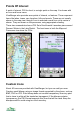
A POI set is a group of points of interest.
A licensed POI set contains POIs that have been licensed from a commercial
source such as Ordnance Survey. These POI sets cannot be edited, but they
can be updated from the server so you can get the latest licensed data.
Creating a POI Set
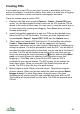
To create a new, empty POI set go to Organizer > POI Sets. From the Options
menu choose New POI set and then enter a name.
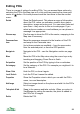
You can now move POIs into this set by selecting a POI in one of Organizer’s
views, pressing the cursor pad centre or button, choosing Move to POI set
and then selecting the new POI set.
Most views listing POIs provide a Move all to POI set command, which moves
all the POIs in that list into another POI set of your choice.
The search results view has a Copy all to POI set command, which copies all
the search results into a POI set of your choice.
Importing A POI Set
You can also create a POI set by importing a GPX or LOC file:
1. Copy the GPX or LOC file containing the points of interest to the
ViewRanger folder on your memory card.
2. Go to the Organizer, select the POI sets item and press the cursor pad
centre or button
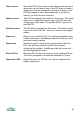
3. Press Options and choose Import / export > Import POI set
4. ViewRanger will show a list of GPX and LOC files – choose the one you
wish to use
5. A POI set is created. It has the same name as the file.
A GPX file is a GPS interchange format file, a format that is becoming
increasingly common. A LOC file is a location file, commonly used in
geocaching.
You can also use Import / Export > Import all Landmarks to import all the
Landmarks in the phone's Landmarks database.
86