
User manual
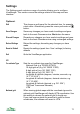


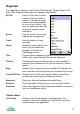


Units Type Metric (km, metres)
Imperial (miles, yards, feet)
Nautical (nautical miles, feet, knots)
View Layout Small Heading: Uses a smaller heading bar.
Full screen: Hide the header completely, only supported by
the Map view.
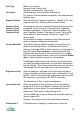
Magnetic Variation Sets the amount of magnetic variation. Default is 0.0. Use
negative values for West, positive values for East.
Function of 3 key
Function of 7 key
Function of 9 key
Function of 0 key
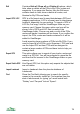
Choose which function is performed when the shortcut key
is pressed. Options include: Choose/visible; Organizer;
Disable screensaver; Lock phone; Manual location; Trip
view; Satellites; Search; Take photo & mark; Track on/off;
None (shortcut does nothing); Panorama; Create POI;
Screen grab.
On phones that support orientations the Orient shortcut
switches between landscape and portrait.
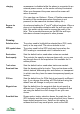
On app deactivation This switch controls whether memory is freed when you
swap to another application. On phones with limited
memory (less than 20Mb of main memory) it is important to
leave this set to Free memory, so that applications like
Camera that also require a lot of memory can run reliably.
But if you have ample memory then you can choose Retain
data, in which case the memory is not released.
ViewRanger releases as much memory as possible when
you swap to another application, so that other applications
can run reliably. This is most noticeable when you return to
ViewRanger and the panorama has to be recalculated.
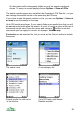
Right hand soft key Sets the behaviour and label of the right hand soft key or
button in the Map and Panorama views. It defaults to ‘Lock
to GPS’, which centres the map or panorama on the current
GPS position, connecting to the GPS if necessary.
The alternative is ‘Exit’ to exit the application.
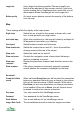
Ignore system exit When an application that requires a lot of resources is
being used, such as the camera, Symbian will ask other
applications to close down. On some phones this can
prevent the "Take photo" feature being used.
To tell ViewRanger to ignore these exit requests switch on
‘Ignore system exit’.
However, this may prevent other applications starting.
Disable saver if If ‘Disable saver if charging’ is switched on, then the
72