
User manual




Navigation Commands
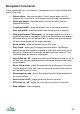
These commands are in the Options > Navigation menu in both the Map view
and the Trip view.
• Silence alarm - silences the alarm. It won't sound again until it is
triggered by a new event - for example, arriving at the next waypoint.
• Alarm wpt details - show the details view for the point that has
triggered the alarm
• Target wpt details - show the details view for the target waypoint.
• Prev wpt details - show the details view for the previous waypoint.
• Step target forward / backward - set the target waypoint to be the
waypoint one later or one earlier in the route. Sometimes your location
will cause this to have no visible effect - in which case you can switch
off auto following and set the target manually.
• Route details - show the details view for the route.
• Play sound - when you first trigger the arrival alarm, ViewRanger
checks the points's details for a sound or video link and if there is on it
will play it. Subsequently it sounds the alarm until you silence it. This
command plays the sound or video again.
• Auto follow on / off - toggle automatic route following on and off. If it is
off then you need to manually advance the target waypoint using step
target forward.
• Reset follow route - resets the automatic route following to start from
the first waypoint. Note that if you are closer to another route section it
will use that section of route.
• Show target on map - moves the map to have the target waypoint at
the screen centre.
• Arrival alarm on/off - toggle the arrival alarm on and off.
• XTE alarm on / off - toggle the cross track error alarm on and off.
• Stop navigate - stop navigating.
69