
User manual




Going off route
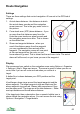
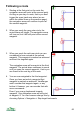
If you go off route by more than the cross track distance, ViewRanger will re-
evaluate where you are.
If it finds that you are closer to a later leg of the route it will direct you along that
leg. It gives preference to the earlier route legs. However, if you return to your
route it will revert to directing you to the next waypoint.
It will never consider route legs prior to a waypoint that you passed through and
was marked as achieved, as long as that waypoint was achieved in correct
order.
Route Navigation Troubleshooting
The most important setting is the Show next wpt distance. This defaults to 15
metres. If you find that the navigation arrow points to the subsequent waypoint
too soon then reduce this setting. If you find the navigation arrow pointing
backwards as you pass the waypoint then increase the value. On a 1:50,000
scale map 15 metres is a circle 6 pixels across and on a 1:25,000 scale map it
is 12 pixels across.
The cross track error distance is also important. For example, if you short cut a
corner the navigation arrow will point at the waypoint you are missing until you
are more than the cross track distance off the route. So if you often short cut
corners, keep the cross track error distance quite low.
The arrival alarm distance only determines when the arrival alarm starts
sounding. Normally you want the alarm to sound as you approach a waypoint,
so keep this setting greater than the next waypoint distance.
68