
User manual

Route From Track
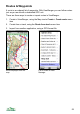
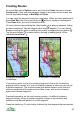
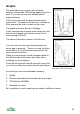
Select a track you have recorded and press the cursor pad centre or button.
Choose Edit, Route from track from the menu. A new route will be created
that follows the track.
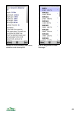
You will be prompted to choose a tolerance. Smaller values give a more
accurate conversion but lead to more waypoints. Larger values give a less
precise match with fewer waypoints.
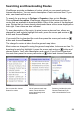
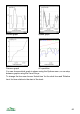
A track converted into a route.
Enter route
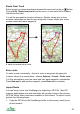
To enter a route numerically – that is to enter its waypoints by typing the
numeric values of its coordinates – choose Options > Create > Enter route.
You'll be prompted to enter the name and then each waypoint's coordinates.
Press New wpt to add another waypoint, press Done when complete.
Import Route
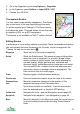
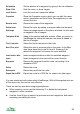
You can bring a route into ViewRanger by importing a GPX file. Most PC
mapping applications and route web sites will provide routes in the common
GPX file format. Many routes are available on the Internet. To import a route,
perform the following steps:
1. Copy the GPX file to the ViewRanger folder on the memory card of your
phone handset
56