
User manual


Field choices
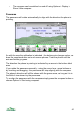
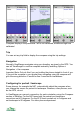
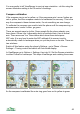
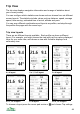
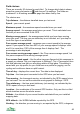
There are currently 30 choices for each field. To change which data is shown,
press the cursor pad centre or and choose Trip settings. The fields are
numbered 1 to 8 working across the page then down line by line.
The choices are:
Trip distance – the distance travelled since you last reset.
Speed – your current speed.
Maximum speed – the maximum speed recorded since you reset.
Average speed – the average speed since you reset. This is calculated over
the time you are connected to the GPS.
Moving average speed – the average speed while you have been moving
since you reset. The time you are stationary is not included, so if you stop for
lunch this figure is not affected.
Pace versus average speed – compares your current speed to the average
speed. If your speed is less than 90% of your average speed it displays ‘slow’
and if it is more than 110% of the average then it displays ‘fast’. The
percentage is also displayed.
Pace versus moving average speed – like ‘Pace versus average speed’, but
this pace compares to the moving average speed.
Pace versus fixed speed – like the other two pace figures but this compares to
a speed you choose. Set your target pace in Settings > Trip > Pace speed, then
this field indicates how fast you are going relative to that pace. This setting is
saved with your trip profile, so you could save one profile for jogging, one for
cycling and could even have an uphill variant.
Time of day – displays the current time. The date is also displayed.
Trip time – the time spent connected to the GPS since you last reset.
Time moving – the time spent moving, as indicated by the GPS’s speed, since
you last reset. You can set the minimum moving speed in Settings > GPS.
Time stationary – the time spent stationary (not moving), as indicated by the
GPS’s speed, since you last reset.
Location – the coordinates of the current GPS location. Only use this in a field
which stretches across the whole screen.
Altitude – the altitude of your current location calculated from your installed
mapping data.
GPS altitude – the WGS84 altitude reported by the GPS.
Heading – the direction you are moving in, as reported by the GPS, in degrees.
45