
User manual


• The compass can be switched on and off using Options > Display >
Show / hide compass.
Panorama
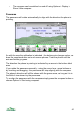
The panorama will rotate automatically to align with the direction the phone is
pointing.
As with the map the calibration is indicated - the bottom axis changes colour, as
does the compass button on touch screen phones. Twist the phone until the
axis and button go green.
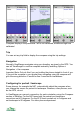
The direction the phone is pointing is indicated by an arrow in the bottom label
area.
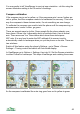
If you rotate the panorama manually - using the cursor keys, arrow buttons or
by touching and dragging - the panorama will stop aligning with the compass.
The phone's direction will still be shown with the green arrow, as long as it is in
the field of view shown by the panorama.
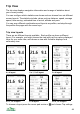
To re-align the panorama with the compass simply press the compass button or
choose Options > Start using compass.
41