
User manual
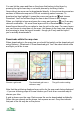
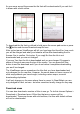
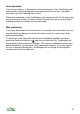
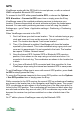


You can set the maximum Hdop that ViewRanger will treat as valid in Settings
> GPS. The default is 50.0, but if you get poor tracking results with spikes then
reduce this number to 20 or even to 10. If the Hdop is above the value you
choose, then ViewRanger will consider the GPS location invalid – the GPS
circle and cross will go grey, and no track points will be recorded until the fix is
more accurate.
GPS Altitude Accuracy
ViewRanger can show two types of altitude.
Plain 'altitude' is calculated from .VRH files – it is fairly accurate, but can miss
peaks, and is always the ground height value.
'GPS altitude' is calculated by the GPS so depends on the GPS reception. Its
accuracy is variable, but it will spot if you are above ground level.
Normally GPS altitude is shown relative the WGS84 datum, which is different to
sea level. In Cambridge for example the difference is about 45 metres.
If you copy the optional 'GPSAltitude.DAT' configuration file into the Config sub-
folder of your ViewRanger folder, then ViewRanger will apply a mean sea level
correction to the GPS altitude. The GPS altitude will then be shown relative to
sea level. The accuracy of the reading can be good, but it can take a while to
settle down when the GPS first starts.
The resulting figure will be exported with tracks.
39