
User manual


GPS
ViewRanger works with the GPS built in to most phones, or with an external
NMEA compatible Bluetooth GPS receiver.
To connect to the GPS either press Lock to GPS, or choose the Options >
GPS & location > Connect to GPS menu item or simply press the 2 key.
ViewRanger uses all the enabled positioning services to determine your
location. It favours those which are most accurate and have the lowest power
demand. You can switch positioning services on and off using the phone's
Settings app – go to Phone > Application settings > Positioning > Positioning
services.
When ViewRanger connects to the GPS:
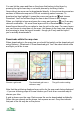
1. First it will show your last known location. This is indicated using a grey
circle and cross as it may not be accurate. It is not recorded in the
track. The location bar reports “Last known location”.
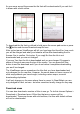
2. Then, if the Network is enabled, ViewRanger will show the location
reported by the network. This is also indicated using a grey circle and
cross as it is approximate. It is not recorded in the track. The location
bar reports “Position: Network based”.
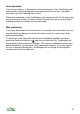
3. Once the Internal GPS, Assisted GPS or Bluetooth GPS reports a
position, this is shown on the map using a red circle and cross. It is
recorded in the track log. The coordinates are shown in the location bar
in black.
4. If you have a Bluetooth GPS connected and it has a position fix, then
ViewRanger stops using the internal and assisted GPS to save power.
To set ViewRanger’s Map view to move with current GPS position, press Lock
to GPS or simply press the 2 key.
To move the Panorama viewpoint to the current GPS position use the Options
> Use GPS position item or simply press the 2 key.
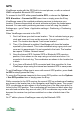
While connected to the GPS receiver the current GPS co-ordinates and heading
are shown in the location bar in the Navigation and Satellite views. The current
GPS co-ordinates are also shown in the location bar of the Map view while it is
locked to the GPS position. The co-ordinates will be shown as black when they
are valid and red when they are not valid. (GPS co-ordinates may not be valid
because the receiver has just been switched on or has a limited view of the
sky.)
On 2
nd
edition phones ViewRanger uses only the Bluetooth GPS.
34