
User manual
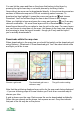
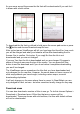


Auto download
If you choose Options > Downloads > Auto download on, then ViewRanger will
automatically download map tiles as you pan around the screen. It requests
tiles where you don't already have a map.
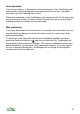
When auto download is only ViewRanger only downloads tiles for the map scale
you are currently viewing. It does not show the grid if you are viewing a map of
a different scale, for example the overview map.
Map optimising
If you have downloaded a lot of map tiles, for example over a hundred, then you
may find that ViewRanger becomes a bit slow to start. You can solve this by
optimising the maps.
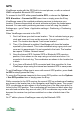
To do this go to the Organizer and into the list of Maps. Highlight a map tile,
press the cursor pad centre or and choose Optimise tiles. ViewRanger will
merge nearby tiles of that layer together. This requires additional memory card
space temporarily, but the space is all freed when complete. You may need to
do this on several different tiles. ViewRanger will not merge all tiles together
because this would be inefficient.
33