
User manual
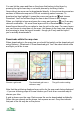
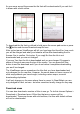
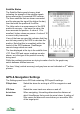

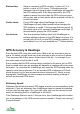
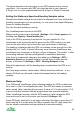
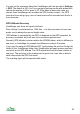

As you move around the screen the tile that will be downloaded if you ask for it
is drawn with a bold outline.
To download the tile that is outlined in bold press the cursor pad centre or press
the button and choose Download map tile here.
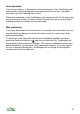
After a short pause ViewRanger will tell you how large the tile will be, how much
you will be charged and what your balance will be after downloading the tile.
Answer Yes to confirm, No to stop. If you reply No then the tile is not
downloaded and you are not charged.
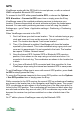
If you say Yes then the tile is downloaded and you are charged. Progress is
shown in the pink area near the top of the screen. You can press the Stop
button to end the download and if you do so before it completes downloading
you won't be charged.
The ViewRanger server remembers the tiles that you have downloaded and
only charges you for new tiles. However, the server does not have a record of
other map products you have bought, including custom maps, so avoid
downloading duplicates.
It will only charge you for areas where there is a map. In Great Britain you are
only charged for land, not sea - but other countries usually charge for any map.
Download areas
You can also download a number of tiles in one go. To do this choose Options >
Downloads > Download area. All the tiles that are on screen will be
downloaded. These are shown with solid outlines, the tiles with dotted outlines
will not be downloaded.
32