
User manual

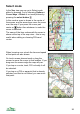
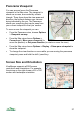
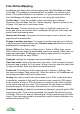
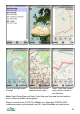

Create >
Create POI Create a new POI. You will be prompted to enter a name, a
default name being provided. The POI is added at the
centre of the screen and you can move it with the cursor
keys or on touch phones by touching. Press Done when
you are finished.
Create route Create a new route. You will be prompted to enter a name,
a default name being provided. The first waypoint is added
at the centre of the screen and you can move it with the
cursor keys or by dragging. Press New wpt, the cursor pad
centre or button to add the next waypoint, or press Done
to finish the route.
Record track / Stop
recording track
Start or stop recording a track. If you start recording a track,
ViewRanger will connect to the GPS. The recording status
is shown in the top right corner of the title bar.
Take photo and
mark
This option swaps into the camera application where you
can take a photo. Exit the camera and swap back into
ViewRanger. You will be prompted for a name, then a POI
will be created and the image will be added to the POI’s list
of images. The POI records its creation time.
22