
User manual

My.ViewRanger.com
Our community web site my.viewranger.com is our web based customer zone
designed to work alongside our mobile app, to allow you to use the convenience
of your computer to:
• Plan your next adventure: search for routes, create your own.
• Get organised: Synchronise your routes with your phones.
• Invite others to participate: share your route.
• Share your experiences: rate routes.
• Keep a record of your trips: add notes & photos.
• And to help you get even more from the ViewRanger app on your
smartphone.
Synchronise
Synchronization with the My.ViewRanger.com web site. This allows you to send
your tracks to the site, and share your routes between the site and ViewRanger
on your mobile devices.
You need to have registered your account at My.ViewRanger.com before you
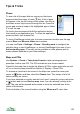
Synchronize. To Synchronize go to Organizer and use Options > Synchronize.
New and changed tracks are uploaded. New and changed routes are
downloaded from the server. The license key list is updated.
You can also upload individual tracks - select the track, go to the context menu
and use Sharing > Upload or Upload again. You can upload or re-download
individual routes - select the route, go to the context menu and use Sharing >
Upload, Upload again or Download again.
121