
User manual
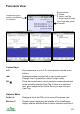


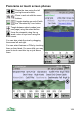
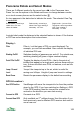

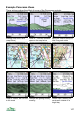

view; GPS details, if connected; the name of any POIs
containing the location.
Map Swaps to the Map view.
Viewpoint on Map Swaps to the Map view, centering it on the viewpoint
location. The Map’s cursor keys are set to the ‘Move pano
viewpoint’ mode, so you can adjust the Panorama viewpoint
location.
Show all POIs This option appears when you are viewing a specific POI
set, and only the POIs in that set are displayed. The name of
the POI set appears in the bar at the top of the screen. This
item returns to the normal display showing all POIs.
Trip Swaps to the trip view.
Rotate > Shows Rotate sub-menu
GPS & Location > Shows GPS & Location sub-menu
Display > Shows Display sub-menu
Server > Shows Server sub-menu
Phone > Options for locking the keypad and controlling the
screensaver
Organizer Shows the Organizer where you can access Marks, Routes,
Tracks, Bookmarks, POI Sets, Filter, and Maps
Settings Goes to the Settings menu
Help Shows the application help information
About Shows the About panel including ViewRanger version, etc.
Exit Exits the application
Rotate >
Stop Rotating Stops the panorama auto-rotating
Auto Rotate Left Starts the panorama spinning left
Auto Rotate Right Starts the panorama spinning right
Select Mode Switches to Select Mode, where arrow keys ◄► select
View Tags
Rotate Mode Switches to Rotate Mode, where arrow keys ◄► scroll the
panorama
Single Mode Switches to Single Mode – a single, selected View Tag is
102