
User manual
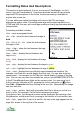
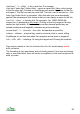
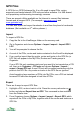
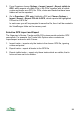
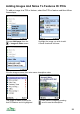
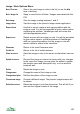

Image / Note Options Menu
Next / Previous Step to the next image or note in the list (or use the◄►
keys or buttons).
Note / Image list Swap to view the list of Notes / Images associated with this
POI.
Rate image Give the image a rating between 1 and 5.
Image viewer View the image in the phone’s Image viewer application.
Report abuse Use this to report a serious and urgent problem with the
image or note. You will be prompted to enter a short reason
explaining the problem. ViewRanger staff will review this
and take appropriate action.
Report error Report an error with an image or note. You will be prompted
to give a short reason, so that a member of ViewRanger
staff can review the problem, but the image or note will
remain visible to others in the meantime.
Panorama Return to the main Panorama view
Visible list Return to the list of visible features
Share on server Send the image or note to the server so that others can see
it.
Update on server Re-send the image or note to the server with your changes.
In the case of an image you are given the option to update
the image’s name and description only, or to re-send the
image as well.
Delete Delete the image or note.
Change name Change the name of the image or note.
Change description Edit the description of the image or note.
Choose new image Choose a different image. The phone’s image browser will
be shown.
Delete from server Delete the image or note from the server. This will fail if you
were not the original creator of the image.
100