
User manual

ROUTE 66 Mobile 7
4
Step 4: Activate “ROUTE 66 Mobile 7”
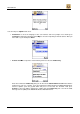
1. If you are launching “ROUTE 66 Mobile 7” for the
first time, you are automatically requested to activate
the product. See below how to activate your product.
You can find your Product Key in one of the
following locations:
inside your DVD box;
inside your CD jewel case, behind the CD;
on your Quick Start Guide.
Step 5: Start navigating
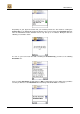
1. Select Start from the Options menu, enter a
search text that contains information about the
address where you want to go, press Options and
select Search, select your destination from the list of
search results, press Options and select Navigate
to.
2. As soon as you select Navigate to, the smart
phone will automatically carry out a search for
Bluetooth devices in your neighbourhood. Select the
wireless GPS receiver and set it as the Default GPS
receiver.
Step 2: Switch the Car Kit on
Step 3: Insert the memory card into your smart
phone and launch “ROUTE 66 Mobile 7”
1. Insert the memory card into your smart phone.
See the documentation of your smart phone for how
to insert the memory card. Note that the CD and the
memory card reader allow you to install “ROUTE 66
Mobile 7” on another memory card.
2. Switch on your smart phone and launch
“ROUTE 66 Mobile 7”.
Step 4: Activate “ROUTE 66 Mobile 7”
1. If you are launching “ROUTE 66 Mobile 7” for the
first time, you are automatically requested to activate
the product. See below how to activate your product.
You can find the Product Key on the backside of the
CD sleeve.
Step 5: Start navigating
1. Select Start from the Options menu, enter a
search text that contains information about the
address where you want to go, press Options and
select Search, select your destination from the list of
search results, press Options and select Navigate
to.
2. As soon as you select Navigate to, the smart
phone will automatically carry out a search for
Bluetooth devices in your neighbourhood. Select the
car kit (which is displayed as “Nokia CK-20W”) and
set it as the Default GPS receiver. If the car kit has
not been connected earlier, you will need to enter the
code “0000”.
Product activation
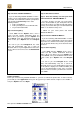
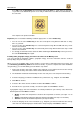
Before you can start using "ROUTE 66 Mobile 7”, you have to activate the product first. In order to do this,
you should go to the Applications view, push the joystick up or down and left or right to select “Mobile 7”,
next press Options and select Open.
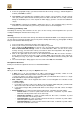
This opens the Product activation view.