
User manual





ROUTE 66 Mobile 2006 Symbian UIQ
20
Tip:
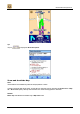
Tap on to display the Route description.
Zoom and Scroll the Map
Note:
These features are enabled only when the 2D perspective is active.
In order to zoom the map more easily, you first have to show the scale on the map (see Preferences > Map
tab > Show scale option), then tap on it and select one of the zooming options in the menu.
Remark:
Entire map and Cursor are enabled only in Map view mode.