
User manual





ROUTE 66 Mobile 2006 Symbian UIQ
16
Tips:
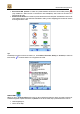
• tap the left turn arrow to repeat the latest voice instruction,
• tap the right turn arrow to display the GPS information screen,
• tap in the middle between the turn arrows to display the Trip information screen which contains
information about the current status of your trip.
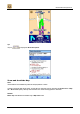
GPS Information
When you are in the GPS information screen, you can monitor GPS data like the geographic coordinates,
number of visible satellites, driving speed, driving direction, altitude, date and time.