
User manual





ROUTE 66 Mobile 2006 Symbian UIQ
12
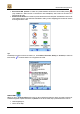
When you are in the Navigate to screen, tap Edit and select:
• Delete to delete the selected item from the list.
• Delete all to delete all items in the list.
• Move up to shift the selected item one position upward in the list.
• Move down to shift the selected item one position downward in the list.
Tip:
Double tap on an item in the list of results (i.e., in Locations, Favourites, History or Contacts) or select an
item and tap to start the navigation to that destination.
Navigate Via
Remark:
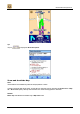
Select this option if you want to navigate with your Bluetooth GPS receiver along a route that consists of
multiple waypoints.
Tip: