
Installation guide




Copyright 2011 All Rights Reserved
AV7900 Installation Guide GC1018 Rev A
Page 4
Multimedia top cover comes supplied with multimedia kit
Headrest core shown here without anything installed
Top part of DVD mechanism/multimedia dock gets inserted first and then
bottom part gets snapped into the integrated locking tabs inside bucket
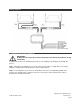
6 Mounting the AV7900 LCD assembly into the headrest bucket
You will need to mount the AV7900 LCD assembly into the headrest bucket. The following step will guide
you through this process.
Be sure to securely connect both harnesses
Align LCD assembly with mounting bracket. Push firmly
on frame of LCD assembly , the side latch will “click” to
lock LCD assembly in place. Use caution NOT to press
on the LCD surface as this can cause permanent
damage to the LCD.
CAUTION!
Do NOT press directly on the surface of the LCD. This will cause permanent damage
to the LCD which will not be covered by warranty.