
Installation guide




Copyright 2011 All Rights Reserved
AV7900 Installation Guide GC1018 Rev A
Page 3
4 Running the cables through the headrest posts
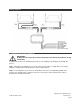
You will need to route the cables through the headrest posts. The following step will guide you through this
process.
Gray cable gets routed down left side post
Black cable gets routed down right hand
side post
IMPORTANT!
Do NOT allow the cables to cross over one another or leave excess cable slack in the
headrest bucket. This will prevent the unit from closing properly, could permanently
damage the unit.
5 Installing the DVD/Multimedia mechanism
The following steps will guide you through this process.
Locate clean, non-abrasive surface to prepare the headrest units
Locate the DVD/Multimedia unit
Select the appropriate top cover.
Blank and Disc top covers are included in
package.
This will require the Disc top cover
(Pictured far right)
Make sure tapered part of top cover is facing
front of vehicle.