
User manual




Page | 22
ROCSTOR
|
EAGLEROC E9
user manual
PARTITIONING AND FORMATTING THE EAGLEROC DRIVE ON WINDOWS
All Rocstor drives are factory formatted with FAT32.
WARNING: Formatting and Partitioning the Eagleroc Drive will destroy all of its data. To
protect your data, back it up before formatting or partitioning this device.
IMPORTANT NOTES:
1. All programs should be closed before beginning.
2. Connect the Rocstor hard disk drive adaptor to the drive and the other end plug into
electricity.
3. Connect the Rocstor hard disk drive to your computer using the appropriate cables.
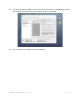
4. The initial goal is to reach the Control Panel. If you know how to get there, skip this section
and go directly to Instruction 1 (Instructions for Partitioning and Formatting from FAT 32 to
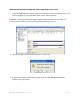
NTFS.) A fast way of reaching “Disk Management” is to right click “My Computer” icon and
click on “Manage” in the drop down menu. The next window is “Computer Management.”
In the left menu, click “Disk Management.”
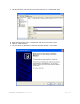
5. The ultimate goal is to reach Disk Management. If you know how to get there, skip this
section and go directly to Instruction 4 (Instructions for Partitioning and Formatting from
FAT 32 to NTFS).
6. Due to different views that are possible on Windows operating systems (2000, XP, Vista),
we will provide various ways of reaching the Control Panel.
7. “Click” means left click. “Right Click” will be so labeled.
8. Some computers are set so a single “click” will perform the task, such as opening a window.
Depending on your mouse setting, you may have to double click to get to the next window.
If a single click does not open the next window, please double click.