
User Manual


Table Of Contents
- Logix5000 Controllers I/O and Tag Data
- Summary of changes
- Table of contents
- Preface
- Communicate with I/O modules
- Organize tags
- Force I/O
- Data access control
- Introduction
- External access
- Configure external access
- External access availability
- User-defined type considerations
- Add-on instructions external access considerations
- Tag mapping considerations
- Imported tag behavior
- Constant value tags
- Configure constant tags
- Constant check box availability
- Add-on instructions constant value considerations
- Index
Summary of changes
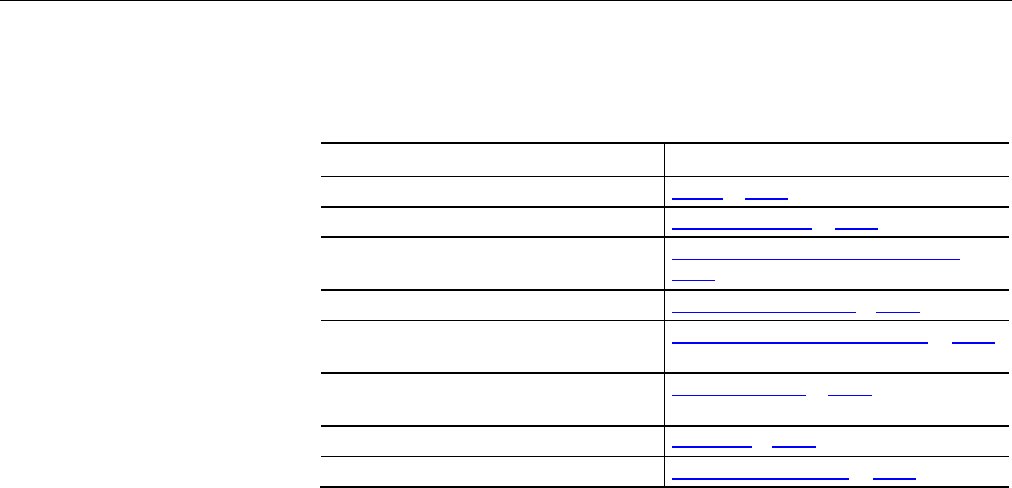
This manual contains new and updated information. The following table contains
the changes made to this revision.
Change Topic
Updated with information on program parameters Tag scope on page 25
New topic Program parameter scope on page 27
Updated steps for changes in Data Type dialog box Add extended properties to a user-defined data type on
page 42
Updated steps for changes in Data Type dialog box Describe a user-defined data type on page 44
Updated steps for changed location of the Show Pass
Through Properties check box
Activate pass-through and append descriptions on page 45
Updated steps for changes to Workstation Options dialog
box
Display alias information on page 49
Updated steps for changes to the Tag Editor window Assign an alias on page 49
Updated steps for changes in Data Type dialog box User-defined type considerations on page 71
Rock well Automati on Publication 1756- PM004E -EN-P - October 2014 3