
Installation Instructions Instruction Manual

Install the Driver in Windows 2000 3-3
Publication 1784-IN003D-EN-P - January 2006
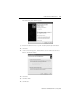
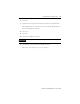
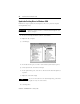
8. Click Next.
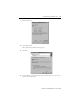
9. Click Browse and navigate to the folder that contains the installation files.
The installation files can be found in the \Drivers\Win2K_WinXP folder on
the 1784-PCIC(S) Driver CD-ROM.
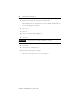
10. Click Open.
11. Click OK.
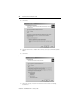
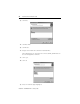
12. Click Next to install the new driver.
13. Click Finish to close the Found New Hardware Wizard.
The driver is now ready to use. Go on to Chapter 5.
IMPORTANT
If prompted to overwrite existing files, click Yes.