
User Manual User guide

Rockwell Automation Publication 1738-UM005A-EN-P - July 2013 83
Appendix
B
Adapter Web Dialogs
Overview
The Web dialog of the I/O adapter offers extensive internal and network
diagnostics. To view the Web dialogs, enter the IP address of the I/O adapters
into your browser
.
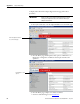
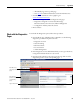
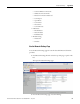
Work with the Home Page
Use the adapter diagnostics home page to access other adapter diagnostics web
pages and see the following information.
• Host Name
• Module Name
• Module Description
• Module Location
• IP Address
• Ethernet Address (MAC)
• DHCP Enabled
• Status
• Product Revision
• Firmware version Date
For Information About Page
Work with the Home Page 83
Work with the Diagnostics Pages 85
Use the Diagnostic Overview Page 86
Use the Network Settings Page 87
Use the Ethernet Statistics Page 88
Use the I/O Connections Page 90
Use the Advanced Diagnostics Page 91
Work with the Configuration Pages 92
Use the Identity Page 94
Use the Network Configuration Page 95
Use the Services Page 96
Work with the Browse Chassis Page 97
IMPORTANT
Make sure that your PC Internet LAN setting and your TCP/IP settings
are configured to access the subnet on which your adapter
communicates.