
User Manual User guide



100 Rockwell Automation Publication 1738-UM005A-EN-P - July 2013
Appendix C Configure the RSLinx Ethernet Communication Driver
Configure the AB_ETH
Driver
To configure the AB-ETH Ethernet communication driver perform the
following steps:
1. Start the RSLinx software.
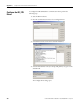
2. From the Communications menu, select Configure Drivers.
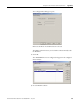
3. Select Ethernet Devices from the list and click Add/New...
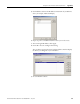
4. Select the default driver name (for example, AB_ETH-1) or type in a name
and click OK.
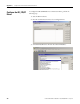
The Configure driver dialog opens.