
User Manual User guide

98 Rockwell Automation Publication 1738-UM005A-EN-P - July 2013
Appendix B Adapter Web Dialogs
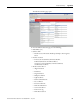
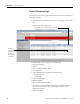
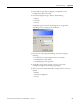
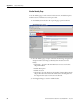
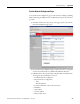
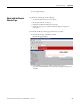
After completing a query, here is how a typical Browse Chassis page looks.
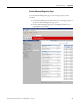
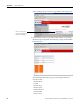
3. To view information about a particular module, click the corresponding
Module Description hyperlink. In the following example, the first Module
has been selected:
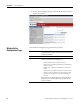
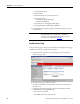
The 1738 Module Information page opens showing this information
about the module:
• Product Name
• Ve n d o r
• Product Type
• Product Code
• Module Revision
• Serial Number
• Device Status
If there is no response to
the query, the Module not
found message appears.