
Installation Manual

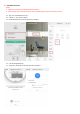
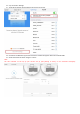
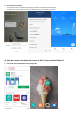
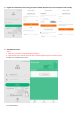
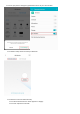


3.6 Tap “Go to Wi-Fi Settings”.
3.7 Select Wi-Fi network named roborock-vacuum-xxxx to connect.
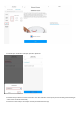
3.8 Go back to the Mi Home app and the connection interface will appear. Wait until it reaches 100%.
3.9 Select the location of device and give it a name.
Note:
The Wi-Fi indicator on the top of your vacuum will go from flashing to solid if it has connected successfully.