
User`s guide




RIGOL
User’s Guide for DM3058/DM3058E
2-69
4. Set Number Format
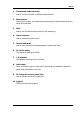
Press System Format to enter into following Manu to setup.
Figure 2-87 Set Number Format
Table 2-34 Function Menu for setting Number Format
Function Menu Setting Explanation
Deciml
.
,
Expresses radix point with“.” o“,”.
Separte
,
None
Space
Expresses separator with“,”, space or
none.
Save all the changes and go back to last
Manu
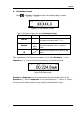
Take a parameter of AC Current as example, if you select Decimal as “.” and
Separator as “
,”, then it will shown according to the following format.
Figure 2-88 Date format
Decimal and Separator cannot be selected as the same format, that is if the
Decimal is “
,”, then the Separator can only be selected as “.”, “None” or “Space”.
So there are six different types of way totally to show Number Format.