
Operating instructions



Transmission
94
1
❖ Receiving Station
The facsimile or computer that received the document from the Transfer Station.
Important
❒ Before you can use this function, you must make the following preparations:
• Program each Transfer Station number in this machine (Requesting Party)
and in the Transfer Station itself.
• Program the same Polling ID in both this machine (Requesting Party) and
the Transfer Station.
• To send a Transfer Request by fax, the Transfer Station must be a fax ma-
chine of the same manufacturer and have the Transfer Station function.
• To send a Transfer Request by e-mail, the Transfer Station must be a fax
machine of the same manufacturer that supports Internet Fax.
• To send a Transfer Request by IP-Fax, the Transfer Station must be a fax
machine that supports IP-Fax and be made by the same manufacturer.
• The Requesting Party's fax number must be programmed in the Transfer
Station's Quick Dial or Speed Dial.
• The Receiving Station's fax number must be programmed in the Transfer
Station's Quick Dial, Speed Dial or Group Dial.
❒ You cannot enter Receiving Station numbers directly. The numbers must be
stored in destination lists, Speed Dial, or Groups in the Transfer Station(s). To
specify a Receiving Station, use the following procedure.
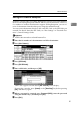
A Place the original, and then select any scan settings you require.
B Specify a Transfer Station.
Enter directly or use a destination list to specify the fax number, e-mail ad-
dress, or IP-Fax destination of the Transfer Station.
If you make a mistake, press [Clear] or the {Clear/Stop} key, and then try again.
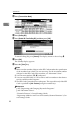
C Press [Adv. Features].
D Press [Transfer Req.].
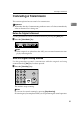
E Press [Receiving Statn].