
Manual



User’s Manual
26
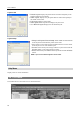
From: Adjust the search starting date and time. When
First is selected, it will search from the first logged item.
To: Adjust the search ending date and time. When Last
is selected, it will search to the last log.
Find: Displays remote log entries within the selected
period.
Print...: Prints the log information.
Save...: Saves the log information as a text or CSV file
(UTF-8 encoded).
Move Buttons: Moves to the first page (
), previous
page (
), next page ( ) or last page ( ). You can go
directly to a log page by clicking the page number button.
Close: Closes the Log dialog box
.
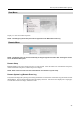
Favorite Menu
NOTE: The Favorite menu can also be accessed using the toolbar controls.
Saves the current screen layout directly to the Favorite site.
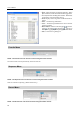
Sequence Menu
NOTE: The Sequence menu can also be accessed using the toolbar controls.
Starts or ends auto sequencing. (Watch Screen Only)
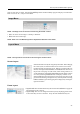
Record Menu
NOTE: The Record menu can also be accessed using the toolbar controls.