
Manual



Netcon (Remote Administration System)
V1.1
53
or
Monitoring
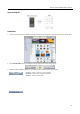
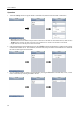
Touch the Connect button to connect to a DVR for monitoring. Selecting the DVR from the site list displays the video
of the DVR on the screen.
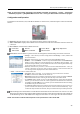
Disconnect: Touch to release the connection to the DVR.
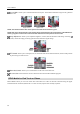
Camera: Touch to select the camera to monitor. The list of cameras supported in the DVR is displayed. Selecting a
desired camera from the list and touching the Apply button displays video from the selected camera.