
Technical information


Section 3 Software Specifications when Using the SH72546RFCC, SH72544R, SH72543R, SH72531, and SH72531FCC
Rev. 2.00 Feb. 18, 2009 Page 80 of 94
REJ10J1938-0200
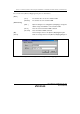
[Eeprom memory
synchronization]
Selects synchronization of the internal EEPROM when the user program is
stopped.
Disable: Synchronization is not performed except when the emulator
is activated and the internal EEPROM area is modified.
Eeprom memory
to PC:
The internal EEPROM is synchronized with the host
computer.
[FCU message] Selects generation or non-generation of messages when the emulator
manipulates registers related to ROM or EEPROM.
Display FCU
registers and
message:
Selects whether or not messages are displayed to show the
contents of registers related to ROM or EEPROM when the
emulator manipulates those registers (by default, these
messages are not displayed). When [Yes] is selected, the
emulator manipulates the registers. When [No] is selected,
the emulator does not manipulate them. Thus, note that in
this case there will be no reading or writing of the internal
flash ROM or EEPROM.
You always select
YES.:
If [Display FCU registers and message] is not selected, no
messages will be displayed to show the contents of
registers related to ROM or EEPROM. This check box is
used to set whether or not the emulator is capable of
manipulating those registers despite no messages being
displayed.
Check box selected: The emulator manipulates registers
related to ROM or EEPROM.
Check box not selected: The emulator does not manipulate
registers related to ROM or EEPROM.
Selects the operation of the internal flash memory when program is downloaded.
update: The content of the internal flash memory is read and
merged with data that has been loaded. Then the internal
flash memory is erased and the merged data is written to
the internal flash memory.
[Flash load
option]
erase: The internal flash memory is erased and the loaded data is
written to the internal flash memory.