
Technical information





Section 3 Software Specifications when Using the SH72546RFCC, SH72544R, SH72543R, SH72531, and SH72531FCC
Rev. 2.00 Feb. 18, 2009 Page 54 of 94
REJ10J1938-0200
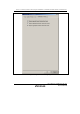
To acquire the AUD trace, open the [AUD trace] window by selecting [AUD trace] in the [Trace
Window Type] dialog box which is opened by selecting [View] -> [Code] -> [Trace] from the
menu. When [AUD function] is selected for [Trace type] on the [Trace mode] page of the [I-
Trace/AUD-Trace acquisition] dialog box, the AUD trace is available.
(a) Branch Trace Function
The branch source and destination addresses and their source lines are displayed.
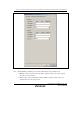
Branch trace can be acquired by selecting the [Branch trace] check box in the [AUD function]
group box of the [Trace mode] page.
The branch type can be selected in the [AUD Branch trace] page.