
Hardware manual



e
2
studio 3.1 Release Note
Rev 1.0, Jan 21st, 2015 Page 10
2010
HEW Importer
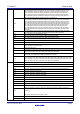
Symptoms: Project fails to build after import from HEW
Conditions: If a long filename or path is used, and the HEW project importer is
used, the project may fail to build.
Workaround: Move the original HEW project to a shallow directory structure
(i.e.) C:\Workspace and import from there. Also ensure that the HEW project is
relocated before importing into e
2
studio.
2421
Debug
Configurations
Debug configurations have been modified since e
2
studio 2.x. So although you
can re-use the workspace and projects from e
2
studio 1.x when you open the
debug launch configuration for the first time it is updated.
Before doing this you should back-up the .launch file if you need to keep a 1.x
version.
NA
Application
It is not possible to import e
2
studio 1.x projects which are for the V850 device
into e
2
studio 2.0.
1922
Application
Symptoms: Project fails to build in first instance after archive project import (not
from HEW)
Conditions: If an archived project is imported it may fail to build the first time,
due to a residual .d file.
Workaround: Clean and Build a second time.
2761
CODAN
When using assembly code within a C source file, Codan errors can be
observed in the editor. Even though the project builds successfully.
We do not have a workaround for this at this time.
2728
GDB
Step into does not always work when using the CCRX 1.02.01 toolchain.
To ensure this behaves correctly you will need to use CCRX 2.00.00 or greater
as this issue with the debug information is corrected in this release.
NA
Eventpoints
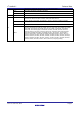
If eventpoints do not always work just after they are set, you can use the "Apply
to Target" toolbar button in the Eventpoint view to send the Eventpoints to the
target manually. This will always ensure the debugger target has all the
required eventpoint updates before execution starts.
5772
IAR Plugins
The IAR Plugin Manager is now included in e
2
studio. This provides support for
RX, RL78, RH850 and RZ (ARM).
This is a tool which simplifies installation and configuration of IAR toolchain
plugins. You can access this though Help -> IAR Embedded Workbench plugin
manager.
In some cases you may need to remove existing IAR RX & RL78 plugins to
install other newly supported device plugins (e.g. RH850).