
User`s manual





16
18. Exceptional step operation
a) Software-interrupt instruction
STEP operation cannot be performed by continuously executing the internal processing of instructions
(undefined, overflow, BRK, and INT) which generates a software interrupt.
<Example> INT instruction
b) INT instruction
Debugging of the program using the INT instruction should be used with the GO command by setting a software
break for the internal processing of the INT instruction.
<Example>
19. “Run to cursor” function
The "Run to cursor" function is realized by using an address match break. Therefore, when you execute the "Run to
cursor" command, all the address match breaks you set become invalid, while all the PC breaks remain valid.
20. Note on PC break point
When downloading a user program after changing it, the address setting of a PC break may not be corrected
normally depending on the changes. After downloading a user program, please check the setting of a PC break by
event point window and reset it.
21. Note on debugging in CPU rewrite mode
CPU rewrite mode can be executed only for the data area. If the CPU rewrite mode is executed for the program area,
E8 emulator will run out of control.
When rewriting the data area, do not halt the user program after setting the CPU rewrite mode until releasing it. If
you do so, the E8 emulator may run out of control. Cancel the automatic renewal in the watch window in advance
and select fixing display in the memory window to prevent a memory access from occurring while executing the
user program.
To check the data after executing the CPU rewrite mode, halt the program after releasing the CPU rewrite mode and
see the memory window etc.
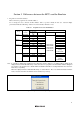
NOP
NOP
INT#3
NOP
JMP MAIN
INT_3:
NOP
NOP
NOP
REIT
The address at which the program should be stopped.
Passes through if the STEP operation is carried out.
NOP
INT #3
NOP
JMP MAIN
INT_3:
N
OP Break
N
OP
REIT
Execution with the GO command