
User`s manual





12
2. ID code of flash memory
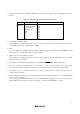
When starting up the High-performance Embedded Workshop in ‘Does not download emulator firmware’ mode, the
dialog box shown in Figure 5.2 is displayed. Then input the 7 bytes ID code (Table 5.2) written to the flash memory.
When starting up in ‘Download emulator firmware’ mode or ‘Writing Flash memory’ mode, the flash memory,
including ID code, will be initialized to “FFh”. When starting up in ‘Does not download emulator firmware’ mode,
the flash memory, including ID code, will not be initialized. When the user program is downloaded, contents of the
user program are input as ID code regardless of the mode at startup.
Table 5.2 ID Code Storage Area of R8C/10, 11, 12 and 13
Address Description
FFDFh First byte of ID code
FFE3h Second byte of ID code
FFEBh Third byte of ID code
FFEFh Fourth byte of ID code
FFF3h Fifth byte of ID code
FFF7h Sixth byte of ID code
FFFBh Seventh byte of ID code
Figure 5.2 [ID Code] Dialog Box
[Note on Writing in ID code mode]
When the ID code is specified by the -ID option of the lmc30, download the MOT file or HEX file. When the X30 file
is downloaded, the ID code is not effective. When downloading the X30 file, specify the ID code using an assembler
directive command such as “.BYTE”. The file to which the ID code specified by the assembler directive command
“.ID” is output varies depending on the version of the assembler. For details, refer to the user’s manual of the assembler.