
Operating instructions

8
Impression selection
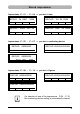
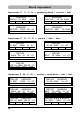
A total of 25 different standard impressions are stored (see pages 9 / 10).
These contain the individual printing fields 'Pre-text' 'Numbering device'
'Date' and 'Time .
A 'pre-text' can be selected from 12 standard texts, or switched off
(see page 15).
The impressions are numbered 'P:01' to 'P:25'.
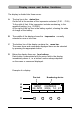
The number of the impression currently selected is shown at the top left
of the display.
'P:26' ... 'P:29' are reserved for customer-specific impressions
(see page 11) .
The required impression can be selected in one of two ways, which are
described below:
a) Select the required impression by pressing [ NEXT ]
Only those impressions can be selected that are marked 'ON'
in the Setup Menu (menu item ‘SET STAMP PICT’ ) .
(See page 21, 'SET STAMP PICT' ).
The display can be changed using the [ MODE ]
button.
Press this button, if necessary repeatedly, until
the menu item “NEXT” appears in the menu bar.
b) Select an impression using the SETUP menu.
Here, all available impressions can be selected, including those
marked 'OFF' in the Setup menu under 'SET STAMP PICT'
(see page 21, 'STAMP PICTURE' )
i
Note