
Operating instructions





19
Setup module
The Setup module contains the following two main menus:
SETTINGS: Enables comprehensive, extensive changes to settings
to be carried out, which, among other things, influence
the impression and the handling of the stamp.
UPDATE: In combination with the optional PC - Set, the program
in jetStamp can be updated. In addition, the impressions
P:26 ... P:29 can be individually replaced or modified.
Selection of the Setup module can be carried out from the menu bar
as follows:
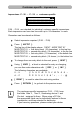
Press [ MODE ] , if necessary repeatedly, until “SETUP”
appears in the menu bar
On pressing [ SETUP ] , the first main menu 'SETTINGS'
is displayed and with [ NEXT ] you can switch between
the two menu items 'SETTINGS' and 'UPDATE' .
Whichever is displayed can be selected by pressing [ CALL ]
Selection of the Setup module may be protected by a pass-
word. In that case the correct password must first be entered.
If you need further information, please contact your dealer
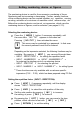
By pressing [ NEXT ] , you can scroll through the menu items
(see also pages 19 and 20). The value or status of the current
item is always shown on the right of the display.
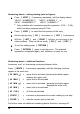
Pressing [ VARY ] selects the menu item shown, e.g.
to change its value or status
Numerical values can be increased by pressing [ INC ]
or reduced by pressing [ DEC ] (decreasing)
A status can be changed using [ OFF ] and [ ON ]
Pressing [ RETURN ] accepts the value or status selected,
and the display automatically shows the next menu item.
Pressing [ RETURN ] again exits the Setup menu.
The selected impression is displayed, and the stamp is ready for use
i
Note