
Operating instructions





20
Setup module
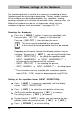
The Setup module contains the following two main menues:
SETTINGS: Enables comprehensive, extensive changes to settings
to be carried out, influence the impression and the
handling of the stamp.
UPDATE: In combination with the optional PC - Set, the program
in jetStamp can be updated. In addition, the imprints
P:26 ... P:29 can be individually replaced or modified.
Selection of the Setup module :
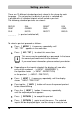
Press [ MODE ] , if necessary repeatedly, until “SETUP”
appears in the menu bar
With pressing [ SETUP ] , the first main menu ' SETTINGS '
is displayed. With [ NEXT ] you can switch between
the two menu items ' SETTINGS ' and ' UPDATE '
Whichever is displayed can be selected by pressing [ CALL ]
The Setup module may be protected by a password.
In that case the correct password must first be entered.
For further information, please contact your dealer
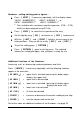
By pressing [ NEXT ] , you can scroll through the menu items
(see also page 21). The value or status of the current item
is always shown on the right of the display.
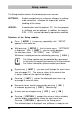
Pressing [ VARY ] selects the displayed menu item, e.g.
to change its value or status
Numerical values can be increased by pressing [ INC ]
or reduced by pressing [ DEC ] (decreasing)
A status can be changed using [ OFF ] and [ ON ]
Pressing [ RETURN ] accepts the value or status selected,
and the display automatically shows the next menu item.
Pressing [ RETURN ] again exits the Setup menu.
The selected imprint is displayed, and
jetStamp
is ready for use
i
Note