
Operating instructions





14
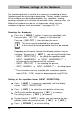
Different settings of the Numberer
The numbering device is used for the successive numbering of forms.
Numbering can be increasing or decreasing. Further, various functions
of the numberer can be coupled together, e.g. repetition, zeroing,
counting, activation of a minimum or maximum value, advance skip, etc.
Before the numberer can be set, an impression, which uses the
numberer or figures, must be selected (see pages 10 / 11)
Selecting the Numberer:
Press the [ MODE ] button, if necessary repeatedly, until
the menu item “NO / TXT” appears in the menu bar.
Pressing [ NO / TXT ] then activates the menu.
This menu may be protected by a password.
In that case the correct password must first be entered.
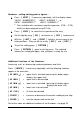
Depending on the imprint selected, the following functions may be
available. By pressing [ NEXT ] , you can scroll through them.
• INPUT - REPETITION = for setting the repetition factor
• INPUT - NUMBERER 1 or INPUT - NUMBERER 2 * =
for entering the starting point of the numberer
• INPUT - PRE TEXT = for selecting the pre-text
•
INPUT - NUMBER 1 or INPUT - NUMBER 2 * = for setting figures
* These functions are only available with a customer-specific
imprint (P:26 ... P:29), which has been prepared using PC-Set
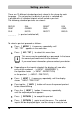
Setting of the repetition factor (INPUT - REPETITION):
Press [ NEXT ] if necessary repeatedly, until the display
shows “INPUT - REPETITION”
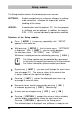
Press [ VARY ] to select the units position of the entry
Set the units position by pressing [ INC ] to increase
the setting, or press [ DEC ] to reduce it
By pressing the [ LEFT ] button, you can move to the tens
position, which can also be set with [ INC ] or [ DEC ]
Press [ RETURN ] to exit the setting
i
Note