
Operating instructions





12
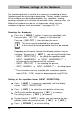
Customer - specific imprints
P : 26 ... P : 29
-------------------
-------------------
NO/TXT NEXT MODE
Imprints P : 26 ... P : 29 = customer - specific
P:26 ... P:29 are intended for individual customer-specific imprints.
Each imprint can have two lines with up to 20 characters in each.
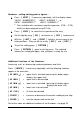
Characters can be entered as follows:
Select the required imprint (P:26 ... P:29)
Press [ NO/TXT ] :
The top line of the display shows 'INPUT - MODI TEXT 01'
MODI TEXT 01 = first entry block (10 characters) in the top line
MODI TEXT 02 =
second entry block (10
characters
) in the top line
MODI TEXT 03 =
first entry block (10
characters
) in the bottom line
MODI TEXT 04 =
second entry block (10
char.
) in the bottom line
To change from one entry block to the next, press [ NEXT ]
Using [ VARY ] , a block is selected for entry or changing,
you can then enter characters with [ DEC ] or [ INC ]
The following characters are avaibable:
0 ... 9 A ... Z Ç Ä Å É Æ Ö Ü £ Ø Ñ Á À ¥
Ê È Ó Ú € Í $ & * + , - . / : @
[ RIGHT ] is used to select the next entry position
Press [ RETURN ] to go back to the previous menu
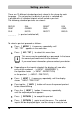
The customer-specific imprints P:26 ... P:29 have the fields
Date 2 , Time 2, Numberer 2 and Pre-text assigned
to them. When using a PC-Set, the appropriate fields
can be individually entered in these imprints, and then
selected for data entry.
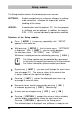
If you have any questions, please contact your dealer.
i
Note