
User manual




36
Pitch Function
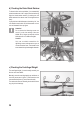
With the pitch function you can control the flying height of the helicopter (see figure 9). For control, the left control lever
(also see figure 1, item 10) is used. For this, it can be moved up from the bottom position. Since the angles of attack of
the rotor blades are not modifiable, setting the flying height is effected via a common speed modification of the two
rotors.
If the control lever is in the lower position, the motors and the rotors stop. If you push the control lever upwards, the
rotors start up and increase their speed according to the position of the lever. When the control stick reaches the
centre position, the helicopter should hover.
Figure 9
Tail Function
As the helicopter is equipped with two counter-rotating rotors, there is no torque around the yaw axis (rotor shaft). The
helicopter does not need a functional tail rotor for lateral stabilization. To allow the model to turn around the yaw axis
(rotor shaft), the two main rotors run at slightly different speeds. Depending on which one of the two main rotors is
faster or slower, the model turns to the left or right (see figure 10).
The tail function is controlled with the right control lever (see figure 1, item 4). If the lever is pushed slightly towards the
left, the tip of the fuselage turns towards the left. If you steer towards the right, the tip of the fuselage turns likewise
towards the right.
Figure 10